在Argon原版主题文件中,首页的Banner标题内只能输入纯文本内容,无法对文本应用CSS样式。
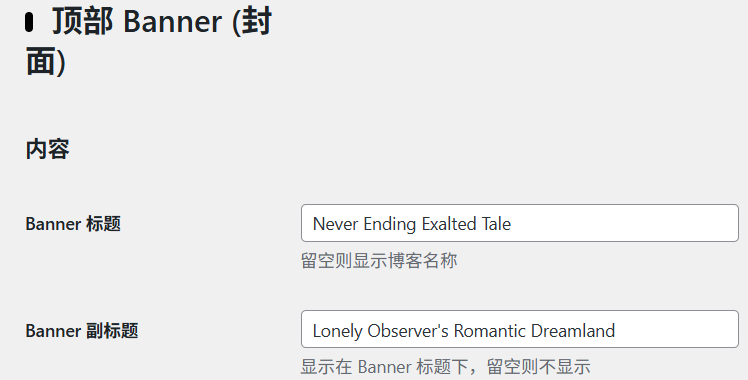
解决方法如下:
先关闭主题本身自带的动画效果,后续会在页尾脚本中重新构建新的打字动画。

跳转到Argon主题选项中的脚本一栏。
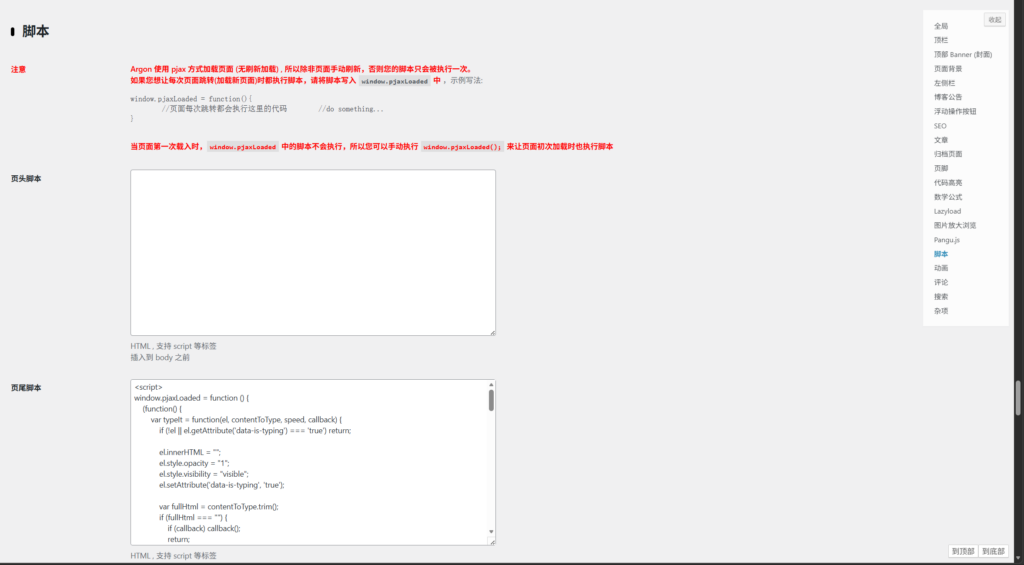
在页尾脚本中添加以下代码,将对应部分替换为内联样式的HTML文本。
<script>
// 【核心新增】全局执行标记:仅手动刷新页面会重置,pjax无刷新不会改变
window.typewriterHasRun = false;

window.pjaxLoaded = function () {
    // 【核心限制】如果已经执行过,直接终止代码,不运行任何逻辑
    if (window.typewriterHasRun) return;
    // 只要进入执行流程,立刻标记为已执行,彻底避免重复触发
    window.typewriterHasRun = true;

    (function() {
        var typeIt = function(el, contentToType, speed, callback) {
            if (!el || el.getAttribute('data-is-typing') === 'true') return;

            el.innerHTML = "";
            el.style.opacity = "1";
            el.style.visibility = "visible";
            el.setAttribute('data-is-typing', 'true');

            var fullHtml = contentToType.trim();
            if (fullHtml === "") {
                if (callback) callback();
                return;
            }

            var i = 0;
            var timer = setInterval(function() {
                if (i < fullHtml.length) {
                    if (fullHtml[i] === '<') {
                        i = fullHtml.indexOf('>', i) + 1;
                    } else {
                        i++;
                    }
                    el.innerHTML = fullHtml.substring(0, i) + (i < fullHtml.length ? '<span class="typing-cursor"></span>' : '');
                } else {
                    clearInterval(timer);
                    el.innerHTML = fullHtml;
                    el.removeAttribute('data-is-typing');
                    if (callback) callback();
                }
            }, speed);
        };

        var startSequentialTyping = function() {
            var titleInner = document.querySelector('.banner-title-inner');
            var subTitle = document.querySelector('.banner-subtitle');

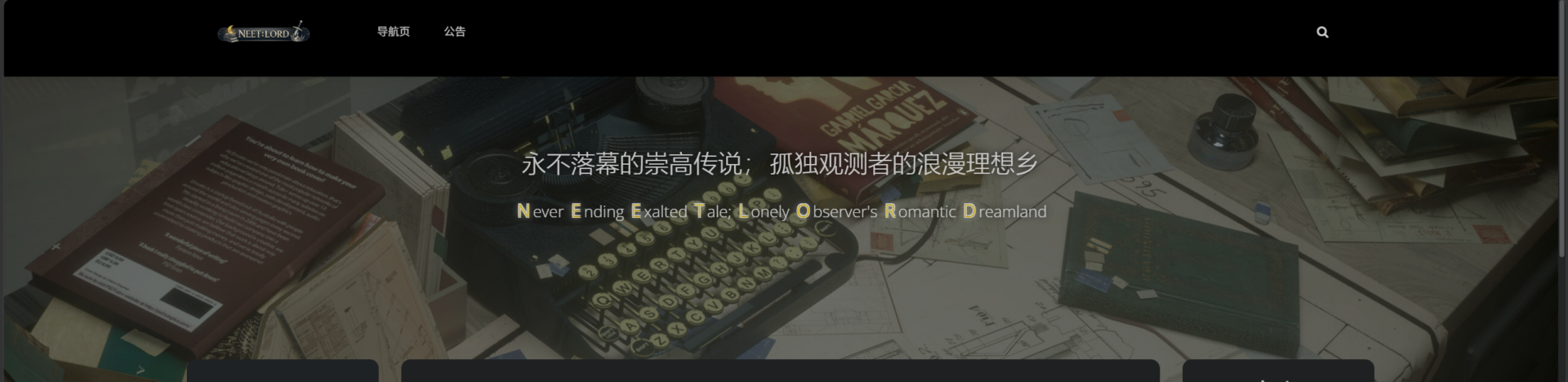
            var mainTitleContent = `<p style="text-shadow: 0px 0px 10px rgba(0, 0, 0, 1);">
  <span style="white-space: nowrap; font-size: 2rem;">永不落幕的崇高传说;</span>
  <span style="white-space: nowrap; font-size: 2rem;">孤独观测者的浪漫理想乡</span>
</p>`;
            var subTitleContent = `<p style="text-shadow: 0px 0px 10px rgba(0, 0, 0, 1);">
  <span style="white-space: nowrap; font-size: 1.3rem;">
    <span style="color: darkblue; font-size: 1.4rem;text-shadow: 0px 0px 10px rgba(255, 255, 255, 1);">N</span>ever
    <span style="color: darkblue; font-size: 1.4rem;text-shadow: 0px 0px 10px rgba(255, 255, 255, 1);">E</span>nding
    <span style="color: darkblue; font-size: 1.4rem;text-shadow: 0px 0px 10px rgba(255, 255, 255, 1);">E</span>xalted
    <span style="color: darkblue; font-size: 1.4rem;text-shadow: 0px 0px 10px rgba(255, 255, 255, 1);">T</span>ale;
  </span>
  <span style="white-space: nowrap; font-size: 1.3rem;">
    <span style="color: darkblue; font-size: 1.4rem;text-shadow: 0px 0px 10px rgba(255, 255, 255, 1);">L</span>onely
    <span style="color: darkblue; font-size: 1.4rem;text-shadow: 0px 0px 10px rgba(255, 255, 255, 1);">O</span>bserver's
    <span style="color: darkblue; font-size: 1.4rem;text-shadow: 0px 0px 10px rgba(255, 255, 255, 1);">R</span>omantic
    <span style="color: darkblue; font-size: 1.4rem;text-shadow: 0px 0px 10px rgba(255, 255, 255, 1);">D</span>reamland
  </span>
</p>`;

            if (titleInner) {
                if (subTitle) {
                    subTitle.style.visibility = 'hidden';
                    subTitle.style.opacity = '0';
                    subTitle.innerHTML = "";
                }

                typeIt(titleInner, mainTitleContent, 50, function() {
                    if (subTitle) {
                        setTimeout(function() {
                            typeIt(subTitle, subTitleContent, 30, null);
                        }, 400);
                    }
                });
            }
        };

        if (!document.getElementById('typewriter-cursor-style')) {
            var style = document.createElement('style');
            style.id = 'typewriter-cursor-style';
            style.innerHTML = `
                .typing-cursor {
                    border-left: 2px solid currentColor;
                    margin-left: 2px;
                    animation: blink 0.7s infinite;
                    vertical-align: middle;
                }
                @keyframes blink { 0%, 100% { opacity: 1; } 50% { opacity: 0; } }
            `;
            document.head.appendChild(style);
        }

        setTimeout(startSequentialTyping, 200);
    })();
};

// 首次页面加载手动触发,仅刷新页面时会执行
window.pjaxLoaded();
</script>
注意,Argon主题选项中的Banner标题及副标题栏位中,需要填入文本,使主题确认需要调用Banner标题类,否则会导致副标题无法显示。
在初次进入首页及每次刷新时,在一瞬间,会出现原本添在Argon主题选项中Banner标题及副标题栏位的文本,酌情考虑填入内容。

也是搓出了第一篇完整的帖子